WPRentals Design Studio

Create, customize, and manage every page of your rental website in Elementor using ready templates, flexible rules, and visual editing. No Coding Required!

WPRentals Theme - Design Studio

Design Custom Rental Websites Visually with WpRentals Studio

Fast Visual Editing

Edit templates live in Elementor with real-time preview, instantly adjusting content, colors, and layout without reloading.

Full Control by Location

Apply custom templates to listings by city or region, creating location-based layouts for better user targeting.

Lightweight and Fast

WpRentals Studio runs smoothly without slowing your site or increasing load times, even on large projects.

50+ widgets

Use over 40 Elementor widgets to design unique rental pages with property grids, maps, reviews, and booking elements.

Build Templates Visually in Elementor_

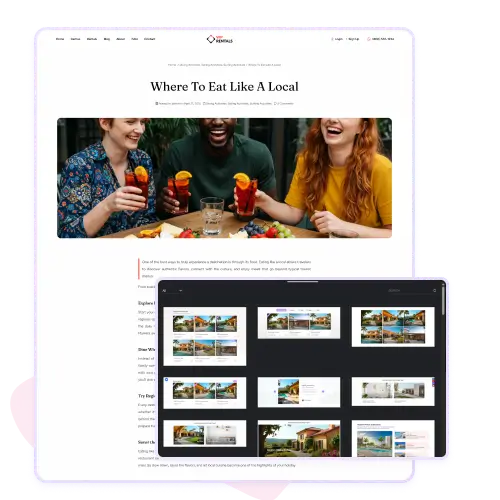
Build Templates Visually in Elementor

WpRentals Studio allows you to create and customize every section of your rental website directly inside Elementor. You can visually design headers, footers, single property pages, blog layouts, and more using drag and drop tools.

Each element is editable without coding, so you can adjust images, text, and layout structure instantly. Once saved, templates can be reused or assigned to different parts of your site.

This flexibility helps you keep a consistent brand design while still tailoring the experience for different sections. WpRentals Studio turns Elementor into a complete website builder for rental websites.

Choose from Ready-Made Layouts

WpRentals Studio includes a large library of ready-made templates and blocks, built specifically for the rental market.

You can import full pages or smaller sections like property grids, agent listings, testimonials, or hero headers. Each layout follows a modern design style and works perfectly with Elementor’s visual editor.

You can customize them by changing colors, fonts, or content to match your brand. Using these templates helps you save hours of design work while maintaining a professional look. Whether you build a new page or redesign an existing one, WpRentals Studio gives you a strong starting point.

Control Display Rules for Each Template

Every template in WpRentals Studio can have its own display rules, giving you precise control over where and when it appears. You can assign a specific header only to property pages or display a custom layout for listings in one city while excluding others.

You can even apply full-width options for select templates. This level of control makes it easy to deliver targeted experiences to your visitors without writing code. The system handles all visibility logic behind the scenes, so you only focus on design and placement.

Organize Templates by Type

Managing templates is simple and efficient with the built-in organization tools in WpRentals Studio.

Templates are automatically grouped by type, such as header, footer, single property, post, or block. You can easily view, filter, and edit them from one central dashboard.

Each entry shows where it’s used and what rules are applied. This makes updating designs or replacing templates fast and safe. Instead of searching through different menus, everything stays in one place.

The clean layout and clear categorization make WpRentals Studio ideal for websites that use multiple template variations.

Import Full Demo Pages

WpRentals Studio gives you access to complete, pre-designed demo pages for different styles of rental websites. You can choose layouts for villas, apartments, or city rentals and import them with one click.

Each demo is fully editable in Elementor, so you can adjust the text, replace photos, or modify sections without losing structure. These demos are professionally styled and built for performance, so they look polished right away.

Using a demo page helps you launch faster while maintaining flexibility for customization. It’s a quick way to build a visually strong site with minimal effort.

Flexible Template Settings

Each WpRentals Studio template includes a full set of settings for easy customization.

You can define the template type, such as a single property page or post layout, and choose if it should be full width.

You can also include or exclude specific locations, categories, or listing types to control where the design is displayed. These settings are managed directly from the WordPress dashboard and don’t require coding.

They allow you to fine-tune your layout behavior for every use case, from regional variations to special landing pages, giving you complete control over your site structure.