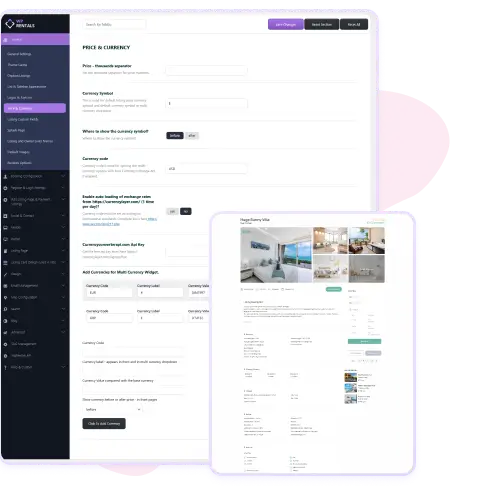
WpRentals allows you to set the default currency symbol, position, and code in the theme options. You can enable automatic exchange-rate loading so your site updates currency conversion daily, helping users see accurate pricing worldwide.
Then you add extra currencies (EUR, GBP etc) with label and value, which appear in a multi-currency widget. Visitors can switch currency from the widget and see the listings in their preferred money symbol. This makes your rental site much more international and user-friendly for guests from many countries.
Flexible Display & Pricing Conversion
With Multi-Currency Support in WpRentals you not only choose currencies and values but decide where the symbol appears (before or after the amount). You also control how prices convert and display across the site: in listings, search results, and guest booking pages.
This feature helps you maintain brand consistency while catering to different markets. Guests feel more comfortable when they see prices in their local currency, which can boost conversions. Your admin dashboard still manages everything from one place so you don’t need separate websites for each market.