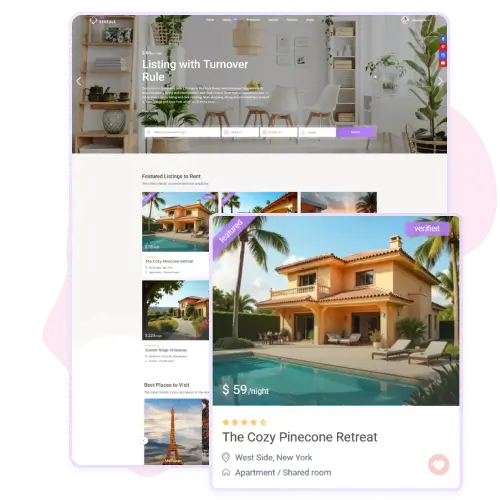
WpRentals gives you full control over how each listing appears in lists. You select a “Listing Unit Type” (Type 1-4) in Theme Options → Listing Card Design.
Each type offers a different layout style, so you can choose the one that fits your brand and site structure. You can change whether the property title opens in a new tab, and adjust how cards appear in half-map layout (list vs grid). That means the page where guests browse multiple properties can look very professional and customized to your taste.
Customize Image Behavior Inside Cards
In the Listing Card Image Settings, WpRentals lets you turn on or off an image slider inside each property card. If enabled, you set how many images appear in the card unit slider.
This is great when you want to highlight multiple photos of a home right on the list page. If you prefer a simple one-photo card, you can disable the slider and keep things clean and fast. The slider feature helps engage visitors by showing more visuals without them leaving the listing list.
Integrate Custom Fields Into Card Layouts
When you use Listing Unit Type 3 in WpRentals, you have the option to pick custom fields to appear inside the card. This means you can display unique details like “Bedrooms”, “Minimum Days”, or other listing-specific attributes directly on the card. You control label, icon (if used) and the field itself from the settings.
This feature makes your cards more informative at a glance and helps your site stand out by showing more relevant property details without clicking into each listing.
Optimize Card Link Behavior and Display Style
Within the listing card settings, WpRentals allows you to define how links work in the card. For example, you can choose whether the title or image opens the property in a new window.
You also set whether the half-map unit style displays as list or grid. These small but important settings affect user experience: whether visitors stay on your site or open new tabs, and how they browse listings visually.
Optimizing these choices can improve engagement and help your listing pages feel more intuitive and polished.