

Last updated: June 7, 2026
Disclosure: This article is published by WPRentals. Where WPRentals appears as a recommendation, that reflects the documented capability gaps described below. The limitations of every option, including WPRentals, are surfaced in equal detail.
The right answer depends on one variable: whether you list on online travel agencies. If your business is appointment-style (a studio, a consultant, an equipment-hire shop) running from one location with no Airbnb, Booking.com, or VRBO listings, native WooCommerce Bookings at $249 a year is the right WooCommerce booking calendar for you. If you run a rental business with listings on those platforms, WPRentals with WooCommerce Payments as an optional rail is the better fit. The deciding feature is per-property iCal export: one ICS feed per listing that each platform subscribes to independently. WC Bookings does not provide this natively; WPRentals does.
What Is a WooCommerce Booking Calendar?
A WooCommerce booking calendar adds date-based purchasing to your WooCommerce product pages. Customers select available dates or time slots, the plugin checks inventory rules, and the resulting order flows through standard WooCommerce checkout, covering everything from single-appointment slots to multi-night rental check-in and check-out windows.
WooCommerce powers 4 to 6 million active stores, per WPFactory’s 2025 WooCommerce statistics. The catch: “WordPress WooCommerce booking calendar” describes two architecturally different tools serving two buyers. The right choice depends on your use case, not the feature count.
Admin Calendar vs. Guest-Facing Availability Calendar
Most buyers blur the two, and knowing the difference saves a wrong purchase.
The admin booking calendar is the operations view: a dashboard you log in to, listing every booking across your products or listings with date ranges, guest names, and IDs. Both WC Bookings and WPRentals give you one.
The guest-facing availability calendar is the front-end date picker on a product or listing page, showing which dates are open and which are blocked. Both render this too. The divergence is not whether a calendar exists; it sits one layer down, in how each system exports and imports availability per property. The next sections show where that becomes a decision gate.
Native WooCommerce Bookings at a Glance
WooCommerce Bookings is the official, Woo-published scheduling extension. It costs $249 per year for a single site as of June 2026, per the official WooCommerce product page, which lists 20,000-plus active installs and a 2.7-out-of-5 average from 60 reviews. The low score is worth naming up front.
It covers the appointment use case well. You get bookable products in fixed slots or flexible date ranges, resources (staff or equipment, to stop double-booking), and person types for adult and child pricing. Cost rules cover seasons, days of the week, and group size, plus buffer periods, email reminders, and a site-wide admin calendar.
WC Bookings also supports Google Calendar integration, one-way (bookings push to Google) or two-way (Google events block availability), per WooCommerce.
Take a yoga studio that already runs a WooCommerce store and wants class bookings: fixed 60- and 90-minute slots, a 12-participant cap, and adult and under-18 pricing. WC Bookings handles it with fixed-slot mode, person types, and the existing checkout, as WooCommerce’s own yoga use-case guide shows. No OTA listings means no iCal requirement, so it fits. One nuance: a 30/70 deposit split needs the WooCommerce Deposits add-on, covered next.
Where the Rental Cost Ladder Begins
The $249 figure holds only for the appointment case. Add rental requirements and the real cost depends on which kind of operator you are, so read it in tiers, not one headline, using WPRentals’ May 2026 cost breakdown.
| Your situation | What you actually need | Cost (annual) |
|---|---|---|
| Single property, direct booking only | WC Bookings (+ Deposits for partial payments) | $249 ($468 with Deposits) |
| Multi-property, single owner, on OTAs | WC Bookings + per-property iCal plugin (+ Deposits if needed) | ~$300 to $570 |
| Multi-owner marketplace on OTAs | Add Dokan Pro on top | $666 to $1,066 |
Per-item prices are from WPRentals’ comparison and the WooCommerce Deposits product page. The per-property iCal plugin ($49 to $99) covers multi-property OTA needs; Dokan Pro ($149 to $499) is marketplace-only, so the $666 to $1,066 ceiling is the marketplace case.
Why the Booking Calendar Breaks for Rental Operators
The gap that routes rental operators away is structural, not just slow: WC Bookings cannot export per-property iCal URLs that Airbnb, VRBO, or Booking.com can subscribe to per listing at all.
WPExplorer, a neutral comparison site, documented this in September 2024, as cited in WPRentals’ May 2026 article: “WooCommerce Bookings can be integrated with the Google Calendar (a 2-way automatic sync is also possible), but at the moment you can’t connect all rooms individually to external platforms (this feature is still marked as planned on the WooCommerce forum).”
The consequences show up in WooCommerce’s own reviews. A developer reviewing the product on WooCommerce.com (February 2026, 3 of 5 stars) put it directly: “One of the most critical issues is that it only synchronizes with a single calendar… many clients for whom we build websites using the bookings plugin eventually shut down their sites because they experience double bookings… In the end, Booking.com wins, and WooCommerce loses.”
This is no edge case. The top three OTAs (Airbnb at 44%, Booking.com at 18%, VRBO at 9%) controlled 71% of global short-term rental revenue in 2024, up from 53% in 2019 (Skift Research figures cited in WPRentals’ May 2026 cost-and-stack comparison). If you list there, per-property iCal sync is not optional.
Polling is a separate issue every iCal-based system shares, WPRentals included. Airbnb refreshes its imported feed every 3 hours, per Airbnb’s own help documentation, and WPRentals’ default cron also runs every 3 hours; a booking on one channel can take a few hours to block dates on the other. Per-property iCal fixes the structural gap but does not make sync instant.
One scope note: the 2024 State of the STR Industry Report, cited by Rent Responsibly, found the average independent host owns 1.9 properties, with over two-thirds owning one, so for them this may not bite. For more on how these features fit together, see our guide to the WordPress booking plugin with calendar and payments.
WooCommerce Bookings vs WPRentals: Feature Comparison
Two architectural choices for two buyer types, not a ranking. The table maps the features that decide each path; the iCal-sync and multi-property rows route you.
| Feature | Native WC Bookings | WPRentals + WC Payments |
|---|---|---|
| Booking type | Appointment / fixed slots / flexible date ranges | Multi-night rental with check-in/check-out |
| Guest-facing availability calendar | Inline date-picker on product page | Per-listing date-picker + property search widget |
| Admin calendar view | Site-wide bookings calendar | Per-listing owner dashboard + admin overview |
| Pricing rules | Date, day-of-week, person-type, group-size | Seasonal, length-of-stay, guest-count, extra services, security deposit |
| OTA / iCal sync | Google Calendar only (single, site-wide) | Per-listing iCal import + export (Airbnb, Booking.com, VRBO) |
| Multi-property / multi-owner | One bookable product per resource; no per-property iCal | Unlimited listings; front-end owner dashboard |
| Payment options | Any WooCommerce gateway (WooPayments, Stripe, PayPal) | Native Stripe + PayPal; WooPayments optional (38 countries, 2.9% + $0.30 US) |
| Deposits | Requires WooCommerce Deposits ($219/yr add-on) | Built-in (% or fixed amount) |
| Cost | $249/yr base; ~$300 to $570/yr multi-property OTA; $666 to $1,066/yr multi-owner marketplace | ~$79 one-time (ThemeForest) + WooPayments has no setup or monthly fee |
WPRentals + WooCommerce Payments: The Rental Stack
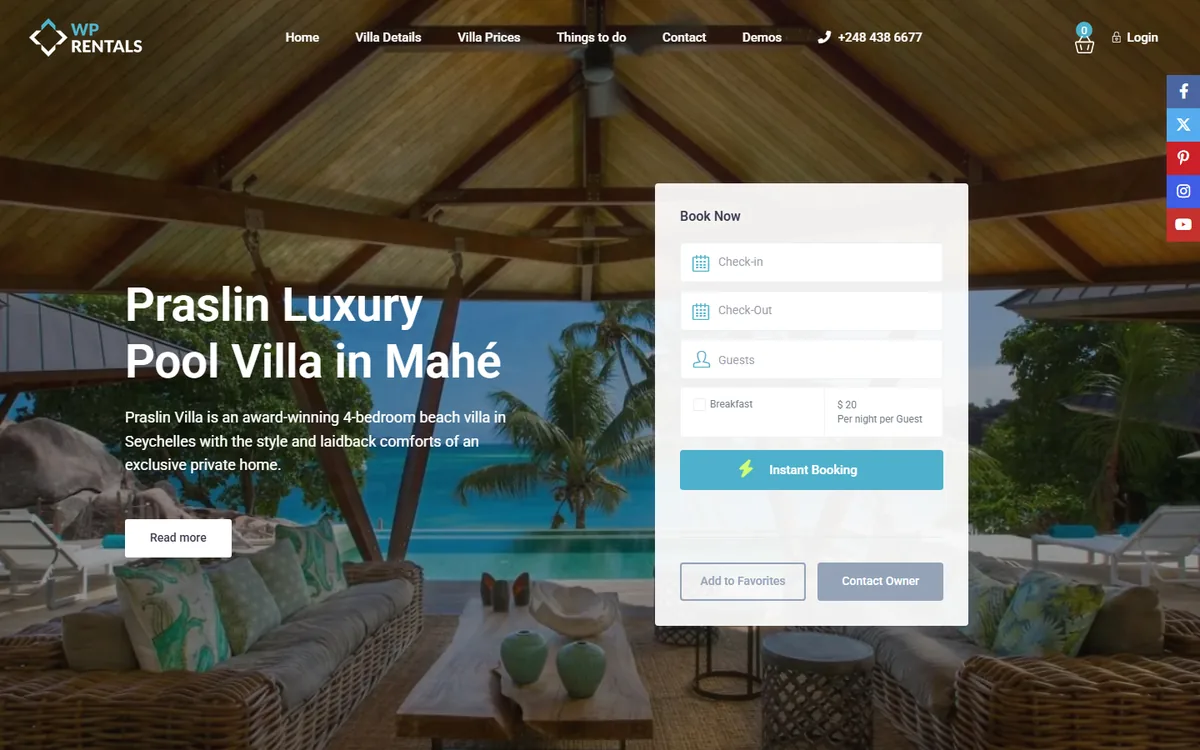
WPRentals is a purpose-built WordPress rental theme, priced at roughly $79 one-time on ThemeForest per its own May 2026 comparison article. It includes per-listing iCal import and export natively. For a full breakdown of the WooCommerce vacation rental stack, see our dedicated comparison.
The architecture is per listing. Each property gets its own ICS export URL that you paste into Airbnb, Booking.com, and VRBO, and the theme imports each platform’s feed into one master calendar for that listing. The default cron runs every 3 hours, and you can shorten it with the WP Crontrol plugin, both documented in the WPRentals iCalendar guide.
Rental features come built in, no extra add-ons: deposits (percentage or fixed), seasonal pricing, length-of-stay discounts, guest-count pricing, extra services, cleaning fees, security deposits, and a multi-owner dashboard with commission settings.
WPRentals processes payments through Stripe and PayPal natively, plus offline wire transfer; WooCommerce is an optional layer for extra gateways. Enabling the WooCommerce integration adds gateway variety without transferring calendar or iCal control: invoices route through WooCommerce orders while WPRentals keeps the booking, calendar, and iCal engine. That unlocks WooPayments: 38 countries and 100-plus currencies, per WooCommerce’s WooPayments country-compatibility documentation, and 2.9% plus $0.30 per US online transaction, per the WooPayments fees documentation. There are no setup or monthly fees, and US Instant Payouts cost 1.5%, per the WooCommerce Payments US pricing page.
Take a manager in Portugal with five holiday cottages on Airbnb, Booking.com, and VRBO. On WC Bookings, the platforms could not subscribe to each cottage’s feed independently, so double bookings followed, matching the developer review above. After moving to WPRentals, each cottage got its own export URL, the cron pulls feeds every 3 hours, and her 30/70 deposit runs natively, without the $219/yr add-on. This is a composite drawn from documented host-reported patterns, not a single named client.
Honest Limitations of WPRentals
As the publisher, WPRentals gives its limitations equal airtime.
- Manual owner payouts. WPRentals does not automate payouts to property owners; the admin transfers owner earnings by hand via bank transfer or PayPal. For a marketplace with dozens of owners, that is real overhead, which WPRentals concedes openly. Development is ongoing.
- iCal is polled, not real-time. The 3-hour cron means a booking on Airbnb may not block dates on your WPRentals site for up to 3 hours, and the reverse. When a sync quietly fails between polls, a host often notices only when two guests turn up for the same dates. For high-velocity calendars across many channels, near-real-time sync needs an external, API-based channel manager; WPRentals’ own documentation notes some owners pair the theme with an outside channel-manager tool that talks to OTAs by API.
- API-connected Airbnb listings. Listings connected through the Airbnb API, rather than iCal, may have iCal sync disabled by Airbnb, as noted in the WPRentals help documentation.
- Single-property operators. For the two-thirds of hosts who own one property and list only on their own site, WC Bookings at $249/yr is likely simpler and cheaper.
A Third Path: Woo-Native Plugins With Per-Property iCal
Per-property iCal is not unique to WPRentals. Native WC Bookings lacks it, but two third-party Woo plugins have it: Bookings for WooCommerce by PluginRepublic exports a per-property feed, and YITH Booking and Appointment for WooCommerce syncs iCal with Airbnb, Booking.com, and VRBO. So “only WPRentals can sync per listing” would be false. The honest claim is narrower: WC Bookings specifically lacks per-property iCal, while some Woo-native plugins offer it.
The real distinction is platform versus plugin. Those tools bolt rental and iCal features onto a generic product-booking engine. WPRentals is a purpose-built rental platform, with guest-facing property search, multi-owner front-end dashboards, and length-of-stay, seasonal, and guest-count pricing as first-class concepts rather than add-on rules. That is the honest basis for choosing it, not iCal exclusivity.
If you are already deep in WooCommerce and mainly need per-property iCal, not a full marketplace, a Woo-native plugin like PluginRepublic or YITH is the lighter choice. The other names serve different jobs: BookingPress is appointment-first, MotoPress Hotel Booking is rental-native but separate here, and Dokan Pro is a marketplace layer, not a booking plugin.
Which Stack Should You Choose?
Choose native WooCommerce Bookings if:
- You already run a WooCommerce store and want to add bookable services or appointments.
- Your business is appointment-style: fixed time slots, a single resource or location, hourly or daily availability, one owner.
- You do not list on Airbnb, Booking.com, or VRBO, or you have a single property on one platform and can manage conflicts by hand.
- Your pricing is straightforward: a daily or hourly rate, with optional person-type or day-of-week rules.
- $249/yr fits your budget and you do not need multi-owner dashboards or per-property iCal feeds.
Fits yoga studios, consultants, salons, single-location equipment hire, and single-property direct booking.
Choose WPRentals + WooCommerce Payments if:
- You operate a rental business: multiple properties, multiple owners, or listings on Airbnb, Booking.com, or VRBO.
- You need per-property iCal export so each listing can subscribe independently to platform availability feeds.
- You need deposits, seasonal pricing, length-of-stay discounts, or per-unit security deposits without stacking $219-plus/yr add-ons.
- You need regional gateways (iDEAL, Klarna, Giropay, Sofort) alongside standard card payments.
- A ~$79 one-time cost plus WooPayments’ zero-setup-fee model fits your budget better than stacking annual WC Bookings add-ons.
Guest data, bookings, and pricing rules do not migrate automatically between WC Bookings and WPRentals. Choose before building.
Key Takeaways
- Native WooCommerce Bookings ($249/yr) fits single-location appointment businesses; it does not natively export per-property iCal feeds for Airbnb or Booking.com.
- The top OTAs (Airbnb, Booking.com, VRBO) controlled 71% of global short-term rental revenue in 2024, so any host listing there needs per-property iCal sync.
- A multi-property WC Bookings stack runs roughly $300 to $570/yr; only a multi-owner marketplace hits the $666 to $1,066/yr ceiling, where WPRentals covers the same ground at roughly $79 one-time.
- WPRentals uses WooCommerce Payments as an optional rail: 38 countries, 2.9% + $0.30 per US transaction, no setup or monthly fees as of June 2026.
- WPRentals’ iCal polls every 3 hours, matching Airbnb’s schedule, and API-connected Airbnb listings may disable iCal, so expect a delay of a few hours before a cross-channel booking blocks a date with any iCal system.
Frequently Asked Questions
Does WooCommerce Bookings sync with Airbnb?
Not on a per-property basis. WooCommerce Bookings does not natively export per-listing iCal URLs that Airbnb can subscribe to; it syncs with a single Google Calendar instead. Third-party iCal plugins or Zapier workarounds can partially bridge the gap, but per-property sync is not built in. Rental operators who need it should evaluate WPRentals or a Woo-native plugin like Bookings for WooCommerce by PluginRepublic.
Can I use WooCommerce Payments for rental deposits?
WooCommerce Payments processes whatever amount checkout passes to it; it does not add deposit logic. For a 30%-at-booking, 70%-on-arrival split, you need the WooCommerce Deposits add-on ($219/yr) on top of WC Bookings, or WPRentals, which includes deposit handling natively. The processor is the rail; deposit timing is set by the booking engine above it.
Does WPRentals require WooCommerce?
No. WPRentals uses Stripe and PayPal natively, plus offline wire transfer. WooCommerce is optional, switched on only when you need extra gateways such as WooPayments, Klarna, iDEAL, or Sofort. When enabled, booking invoices route through WooCommerce orders, while the theme keeps full control over the booking calendar, availability rules, and iCal sync.



