WPRentals Listing Submission Options: Free, Paid or Membership Plans

Offer free, paid, or membership-based listing submissions in WPRentals. Control limits, pricing, and approvals directly from your dashboard.

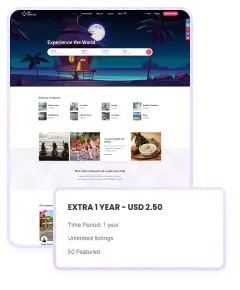
Set Membership Plans & Listing Limits

Create, manage, and automate listing submissions with flexible membership options

Easy Plan Management

Easy Plan Management

Users can upgrade or renew their membership anytime from the dashboard, keeping their listings active without interruptions.
Automatic Expiration Control

When a plan ends, WpRentals automatically hides or disables listings until users renew or buy another package.
Admin Membership Oversight

Admin Membership Oversight

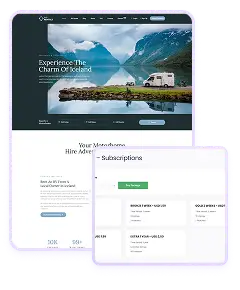
Admins can manually assign, edit, or remove membership plans for users directly from the WordPress dashboard for easy control.

Membership Tracking in User Dashboard

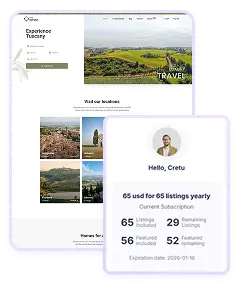
Every registered user can see full details of their active membership in the “My Subscription” section. It shows how many listings they can still post, which ones are featured, and when their plan expires.

This transparency helps users manage their listings and plan renewals easily. The dashboard also allows them to upgrade when they need more listings or visibility. It’s an organized system that keeps both owners and site administrators informed about active memberships without confusion or hidden limits.

Membership Expiration and Renewal

When a membership package expires, WPRentals handles the process automatically. Listings linked to an expired package are unpublished or hidden until renewal.

Users receive reminders so they can renew before losing visibility. Admins don’t have to manually manage or check expired plans since the system updates listing statuses automatically. This keeps your rental marketplace clean and prevents inactive listings from appearing.

It’s an efficient way to manage site content and keep your listings up to date without constant supervision.

Admin Management and Flexibility

Site administrators can manage all membership plans directly from the backend. They can add new packages, assign them manually to users, adjust expiration dates, or test new pricing setups.

This makes it simple to manage premium users, promotional offers, or special access for partners. Admins can also monitor usage and identify which packages perform best. Having full control from the dashboard helps maintain site balance between paid users and listings while ensuring smooth user experiences across all active memberships.

paid submission option

Charge Per Listing with Paid Submission

With Paid Submission enabled, site admins set a price per listing and can choose to allow featured upgrades at an extra cost.

Once a user submits their property through the front-end form, they’re directed to complete payment using built-in gateways like PayPal, Stripe, or bank transfer. You can also integrate WooCommerce merchants for additional payment flexibility.

Only after payment is confirmed does the listing go live – either instantly or after admin approval, depending on your settings.

This model is ideal for marketplaces that want full control over content while generating direct income from each published property. Listings remain active until removed by the user, with no expiration dates or recurring fees.