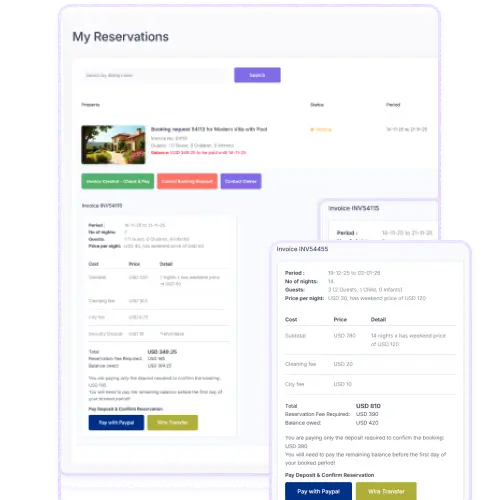
WpRentals comes ready to accept payments via both Stripe and PayPal without needing extra payment plugin setup.
Payments always go into the admin’s account whenever a listing submission fee or a booking deposit is paid. The theme supports listing submission payments, membership payments, and booking deposits using these gateways.
Site owners simply enable Stripe or PayPal in the theme’s payment settings, enter their account keys, and start collecting payments. This built-in support keeps things straightforward and avoids custom coding for these two major processors.
Seamless Checkout for Listings & Bookings
Whether someone is adding a listing or making a booking, WpRentals routes the payment step through PayPal or Stripe. For example, when a booking request requires a deposit, the user pays via the chosen gateway and the booking status updates in the system after payment is confirmed.
The same applies to listing submissions when payment is required. Using familiar gateways like Stripe and PayPal adds trust and simplifies checkout for your users. It also reduces the chance of failed payments because these gateways are widely used and reliable.
Global Payments, Admin Control, and Multi-Language Support
Stripe and PayPal handle many currencies and countries, making WpRentals suitable for international rental sites. The payment platforms are enabled right in the theme’s payment portal settings, and you can choose which processor to offer.
On multilingual websites, be careful: the processor pages (such as “Stripe Charge” or “PayPal Processor”) must be excluded from translation so payments work correctly across languages. This detail ensures your checkout keeps working smoothly for all users, regardless of their language.