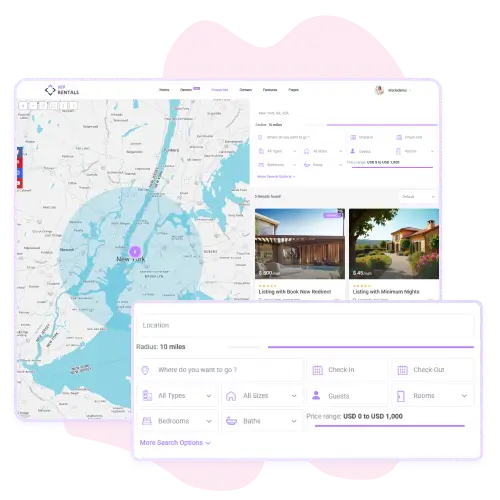
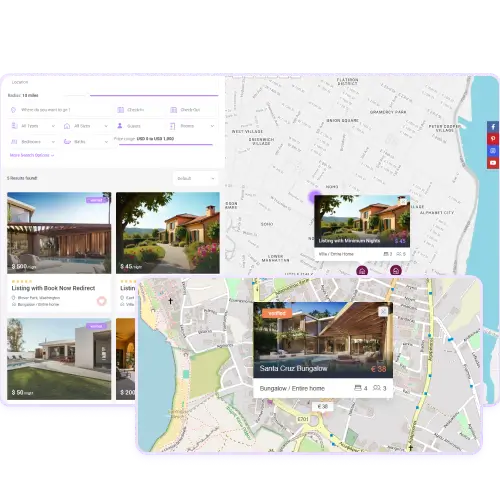
The Half Map Template in WpRentals shows your properties and a map side by side. On one half of the page visitors see a list of properties, and on the other they see a map with matching pins.
When someone uses the filters, the list updates and the pins move in sync. This layout gives people a visual and detailed way to browse and find locations without switching pages.
You can set this template under Pages → Add New Page and choosing “Properties List Half Map” as template. It helps make your rental site look modern and easy to use
Customise Position, Filters, and Search Experience
With the Half Map Template you also control how it looks and works. You can choose if the map appears on the left or the right side of the list.
The search filters are always visible and let users filter by location, price, area and more. Filters work instantly without reloading the page. Also when you use this template you must enable Google Maps for the header to ensure everything shows properly.
This layout gives your visitors an interactive way to explore properties and makes finding the right place fast and clear
Flexible Template Settings
Each WP Rentals Studio template includes a full set of settings for easy customization.
You can define the template type, such as a single property page or post layout, and choose if it should be full width.
You can also include or exclude specific locations, categories, or listing types to control where the design is displayed. These settings are managed directly from the WordPress dashboard and don’t require coding.
They allow you to fine-tune your layout behavior for every use case, from regional variations to special landing pages, giving you complete control over your site structure.