Design engaging category pages in WP Rentals Studio using maps, galleries, and custom fields to showcase properties by area or type.
Create professional category pages in WP Rentals Studio

Use the Term Map widget to show property locations directly on your category page for quick visual reference.
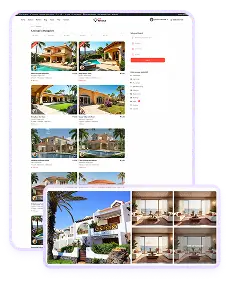
Add a Term Gallery to display attractive images that highlight category features or destinations clearly.
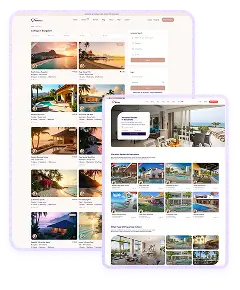
Include Term Documents to share extra files like guides, brochures, or policies related to that property group.
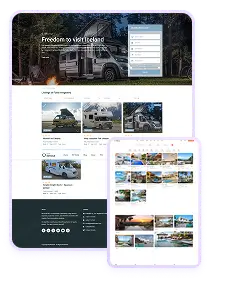
Show the Term Custom Field to add unique data points and tailor your category pages with specific property details.
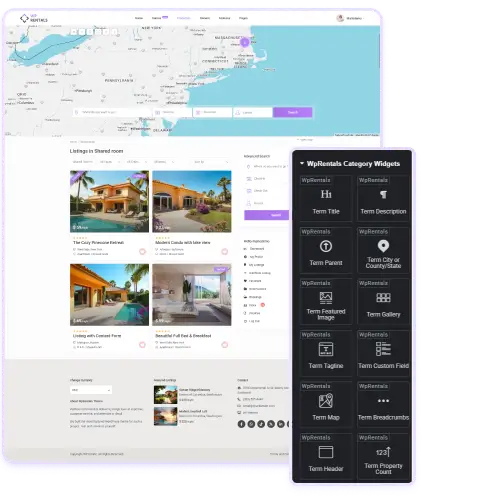
WpRentals Studio lets you design fully customized category pages with Elementor. You can combine elements like titles, descriptions, images, and maps to build pages that showcase each location or category beautifully.
The layout adapts to your site’s branding while improving readability. Each widget gives control over how data appears, helping you display useful information like city, state, and featured listings. This setup not only looks professional but also helps users explore properties faster.
With real-time editing, you can instantly adjust visuals and structure, creating attractive and functional pages that improve engagement and navigation.
With WpRentals Studio, you can display listings organized by area, city, or specific property category. Widgets like Term City or County/State and Listings per Term let you create pages that help users filter and browse easily.
You can add maps, featured galleries, or taglines to make these pages more interactive. This approach is perfect for large websites with multiple destinations or property types. Each page automatically updates as new listings are added, keeping content fresh without manual edits. It’s a flexible way to connect users directly to the properties they want most.
Category pages built in WpRentals Studio support better navigation and SEO. Widgets such as Term Breadcrumbs and Term Property Count help search engines understand structure and content relevance. You can also add taglines, headers, and featured images to boost keyword visibility naturally. Each page is customizable, allowing you to control both appearance and metadata while keeping design consistent.
This structure helps visitors find listings faster and encourages longer browsing sessions. With properly configured elements, your site becomes more search-friendly and delivers a smoother, more guided experience for users across all categories.