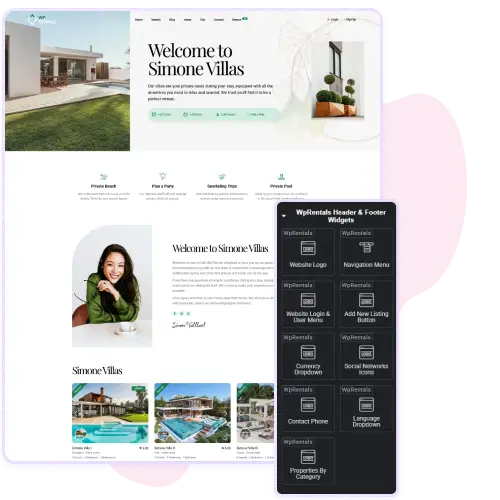
WpRentals Studio lets you design unique headers directly in Elementor. You can include elements like the website logo, navigation menu, user login, and social icons to match your brand identity.
The Before Header and After Header templates allow extra space for banners, announcements, or quick links above or below the main menu.
These tools make it easy to create professional, functional layouts without coding. Each section adjusts to any screen size, ensuring a consistent experience for desktop and mobile users. With WpRentals Studio, your website header becomes both beautiful and practical.
Build Dynamic and Useful Footers
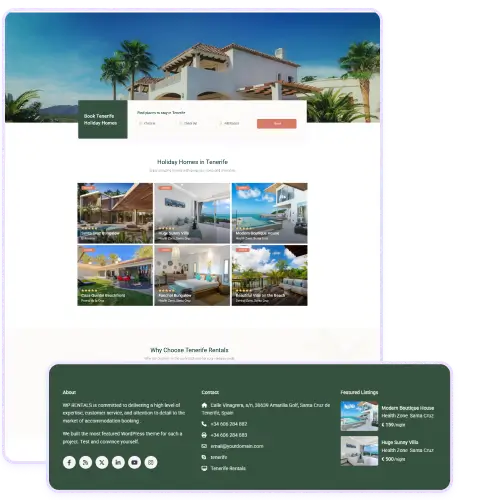
With WpRentals Studio, you can build fully customized footers that combine contact info, menus, and social media links.
The Before Footer and After Footer templates give flexibility for adding extra widgets such as promotional text, quick search, or newsletter signup forms.
You can also include currency and language dropdowns, helping users navigate comfortably across regions. The entire footer design is editable through Elementor, letting you style it visually with your preferred colors and layout. These customization tools help turn a simple footer into a strong navigation and conversion area.
Add Functionality with Header & Footer Widgets
The Header & Footer Widgets in WpRentals Studio provide ready-made elements for quick setup. You can insert contact details, a currency switcher, or a login menu with one click.
Add new listing buttons for property owners and use the properties-by-category option to keep visitors exploring. Each widget connects directly to WpRentals features, ensuring smooth integration. You can organize elements freely, whether in the main header or after-footer area.
The result is a fast, professional layout that improves usability and keeps your site visually consistent across all pages.
Import Full Demo Pages
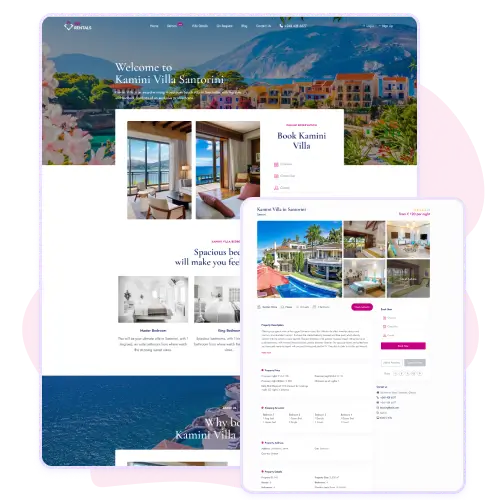
WpRentals Studio gives you access to complete, pre-designed demo pages for different styles of rental websites. You can choose layouts for villas, apartments, or city rentals and import them with one click.
Each demo is fully editable in Elementor, so you can adjust the text, replace photos, or modify sections without losing structure. These demos are professionally styled and built for performance, so they look polished right away.
Using a demo page helps you launch faster while maintaining flexibility for customization. It’s a quick way to build a visually strong site with minimal effort.
Flexible Template Settings
Each WpRentals Studio template includes a full set of settings for easy customization.
You can define the template type, such as a single property page or post layout, and choose if it should be full width.
You can also include or exclude specific locations, categories, or listing types to control where the design is displayed. These settings are managed directly from the WordPress dashboard and don’t require coding.
They allow you to fine-tune your layout behavior for every use case, from regional variations to special landing pages, giving you complete control over your site structure.